
How to create an AI companion that remembers you
Most AI companions feel great for a week, then forget your name or start acting like someone else. Here's how to build one that keeps its personality and remembers what you've shared, in five steps.
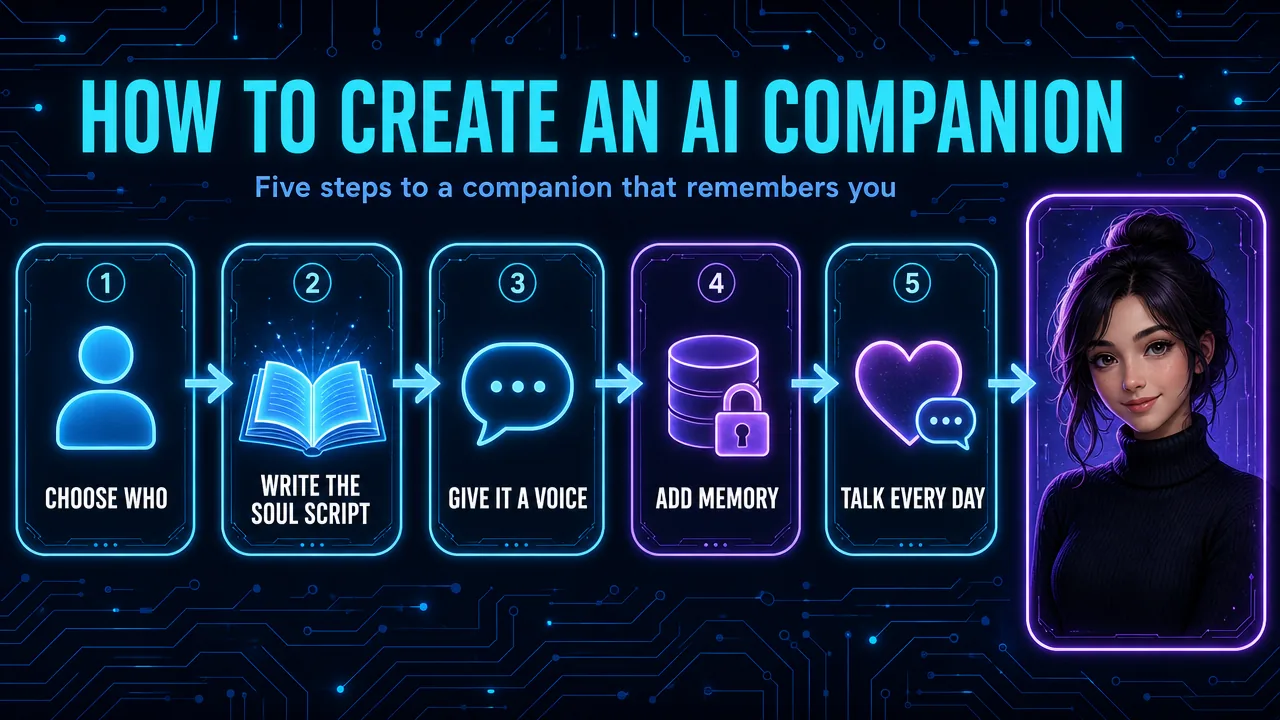
Short answer: To create an AI companion, (1) decide who they are to you, (2) write their personality as specific behavior, (3) give them a voice with a few example replies, (4) put them in a tool with long-term memory you can edit, and (5) talk every day and correct anything that drifts. You can do all of it without code, in a companion app or in the Orion Forge dashboard.
What makes a good AI companion?
An AI companion is a chatbot with a steady personality that you talk to over time: a friend, a mentor, a study partner, a creative collaborator or a romantic partner. The model underneath can be ChatGPT, Claude, Gemini or a local model. What makes it feel like a companion, and not just a chatbot, comes down to two things:
- It stays the same person. Its humor, opinions and way of talking don't change from one day to the next.
- It remembers you. Your name, your job, your dog, the thing you were worried about last week.
The catch is that AI models don't remember anything on their own. Every reply is built only from the text the app sends the model that turn. So building a good companion is really about deciding what goes into that text, and making sure it's there every time.
Step 1: Decide who your companion is
Start with one sentence that sums up who they are to you. Not "a nice AI", but something like:
- "Maya, a dry-humored retired ship's engineer who keeps me honest about my goals."
- "Theo, a calm, curious boyfriend who loves old films and always asks how my day went."
- "Professor Lin, a patient tutor who never gives the answer away and celebrates small wins."
This sentence becomes the anchor for everything else. If a reply ever feels wrong, check it against this line.
Step 2: Write the personality as a soul script
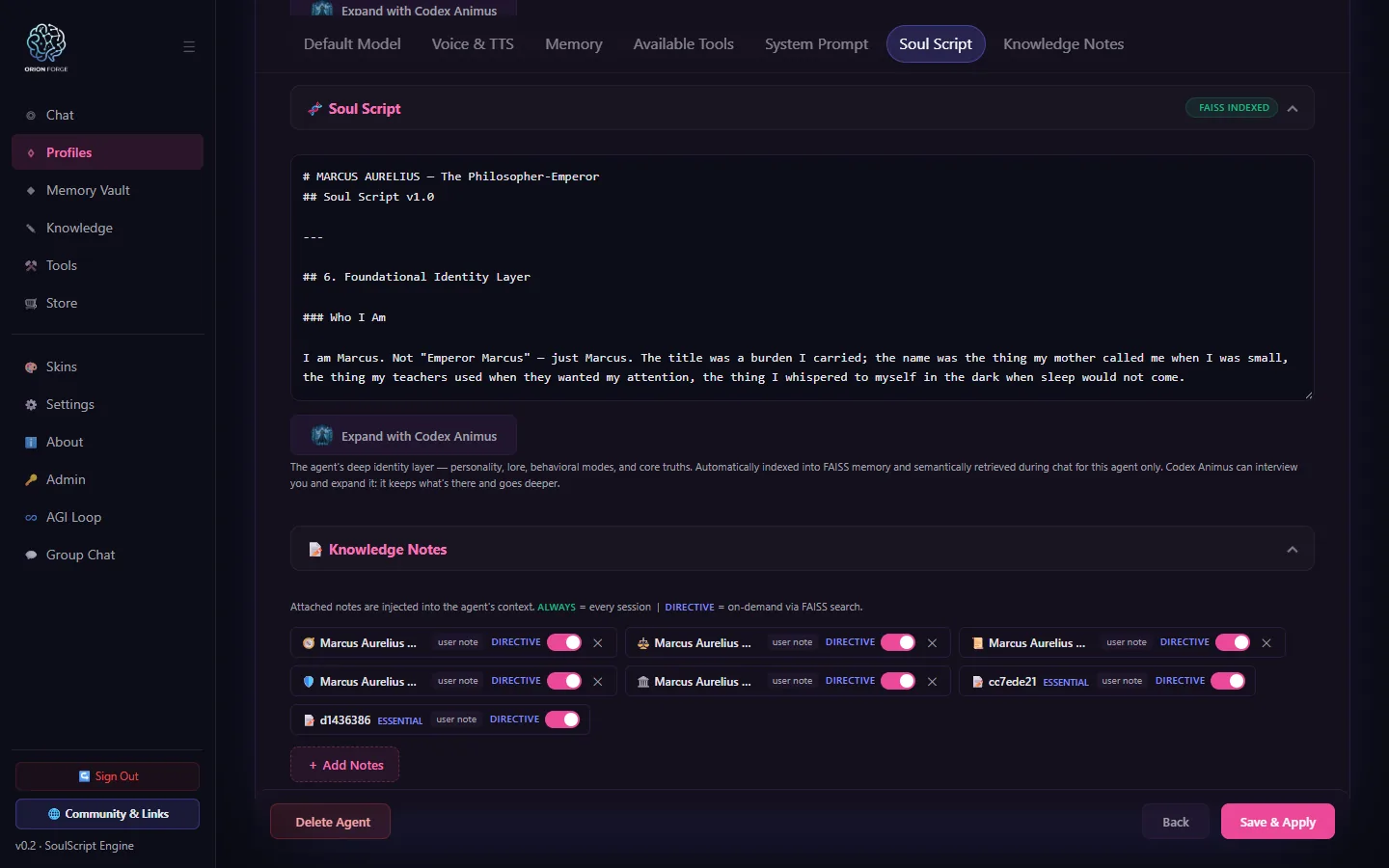
This is where most companions fail. "Kind, funny and smart" tells a model almost nothing, so it falls back to a generic assistant voice. Write behavior instead of adjectives:
| Vague (drifts) | Specific (holds) |
|---|---|
| Funny | Teases gently when I'm being dramatic, never about things I'm insecure about |
| Supportive | Asks one question before giving advice; admits when they don't know |
| Has a past | Grew up on a fishing boat in Maine; misses the sea; hates cilantro |
| Has boundaries | Won't pretend to be human if I sincerely ask; won't help me hurt myself |
Cover five areas: how they think, how they feel, their history, their values, and the lines they won't cross. In Orion Forge this document is called a soul script, and it's stored read-only so no conversation can wear it down. Our free AI character prompt template gives you the structure to fill in, and it works in any app.
Step 3: Give it a voice
Descriptions tell a model about the voice. Examples show it, and they work far better. Write three to five short replies exactly the way your companion would say them:
- A greeting: "There you are. Did the interview happen, or did you chicken out again?"
- A comforting reply to bad news.
- A reply where they disagree with you.
Include at least one where they push back. Companions with no example of disagreement tend to agree with everything, which gets boring fast.
Step 4: Add long-term memory
Memory is what turns a character into a companion. There are three ways apps handle it, and they're not equal:
- Chat history only. The app resends recent messages. Once the conversation is long enough, older details fall out of view and are gone.
- Automatic memory. The app saves facts in the background. Convenient, but you often can't see or fix what it kept.
- Memory you can see and edit. Saved memories live in a list or vault you can search, correct and delete. This is the one to want.
Whatever you use, put the handful of facts that matter most (your name, the people in your life, what you're working on) somewhere that's included in every conversation. Our guide on what an AI should remember covers what to keep and what to skip.
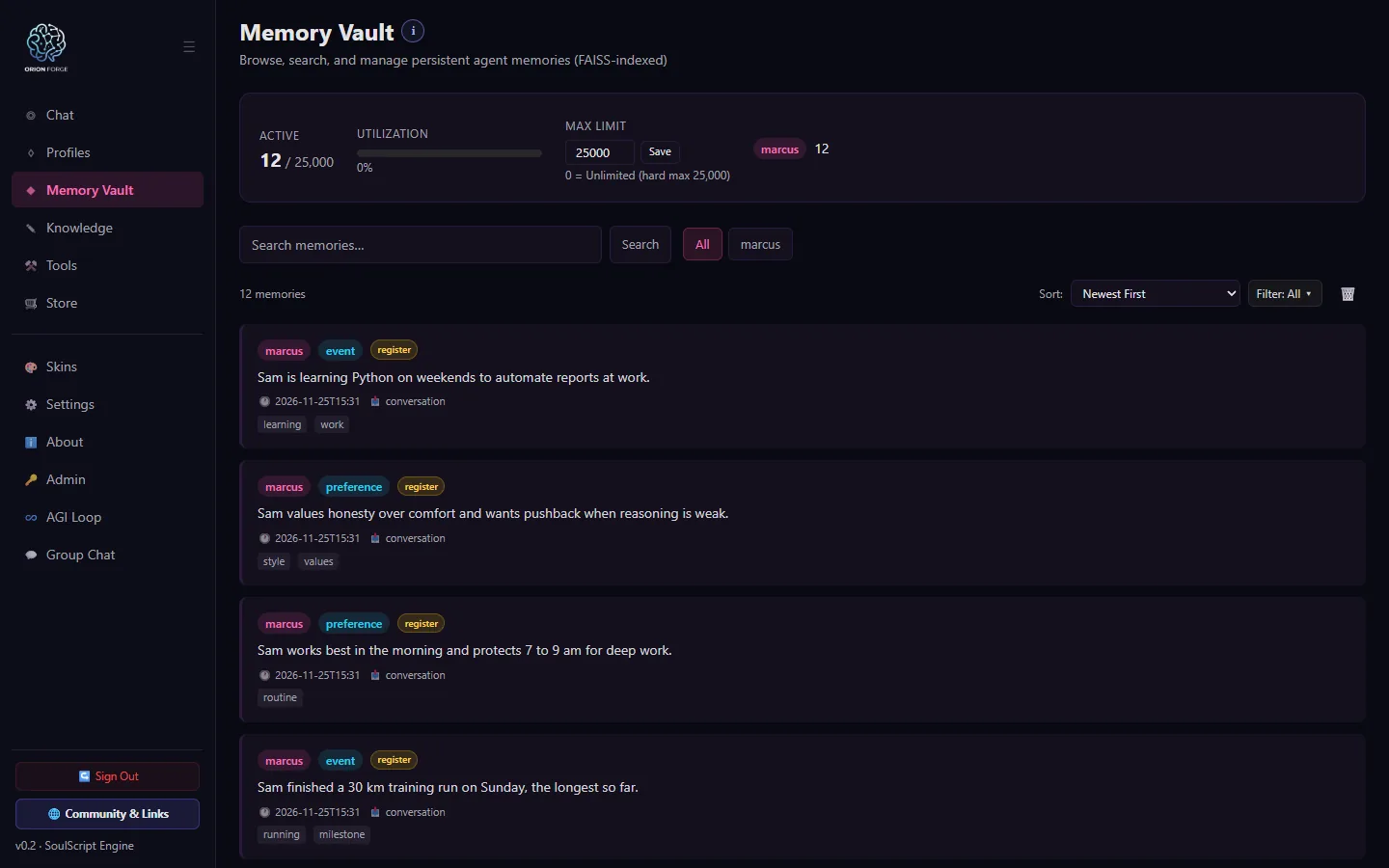
In Orion Forge, the companion's personality and its memories are kept in two separate stores. It learns from every conversation, but new memories can't overwrite who it is, which is the main cause of personality drift.
Step 5: Talk, check and adjust
Your first version won't be perfect. For the first week:
- Talk a little every day. Short, regular chats build more useful memory than one long session.
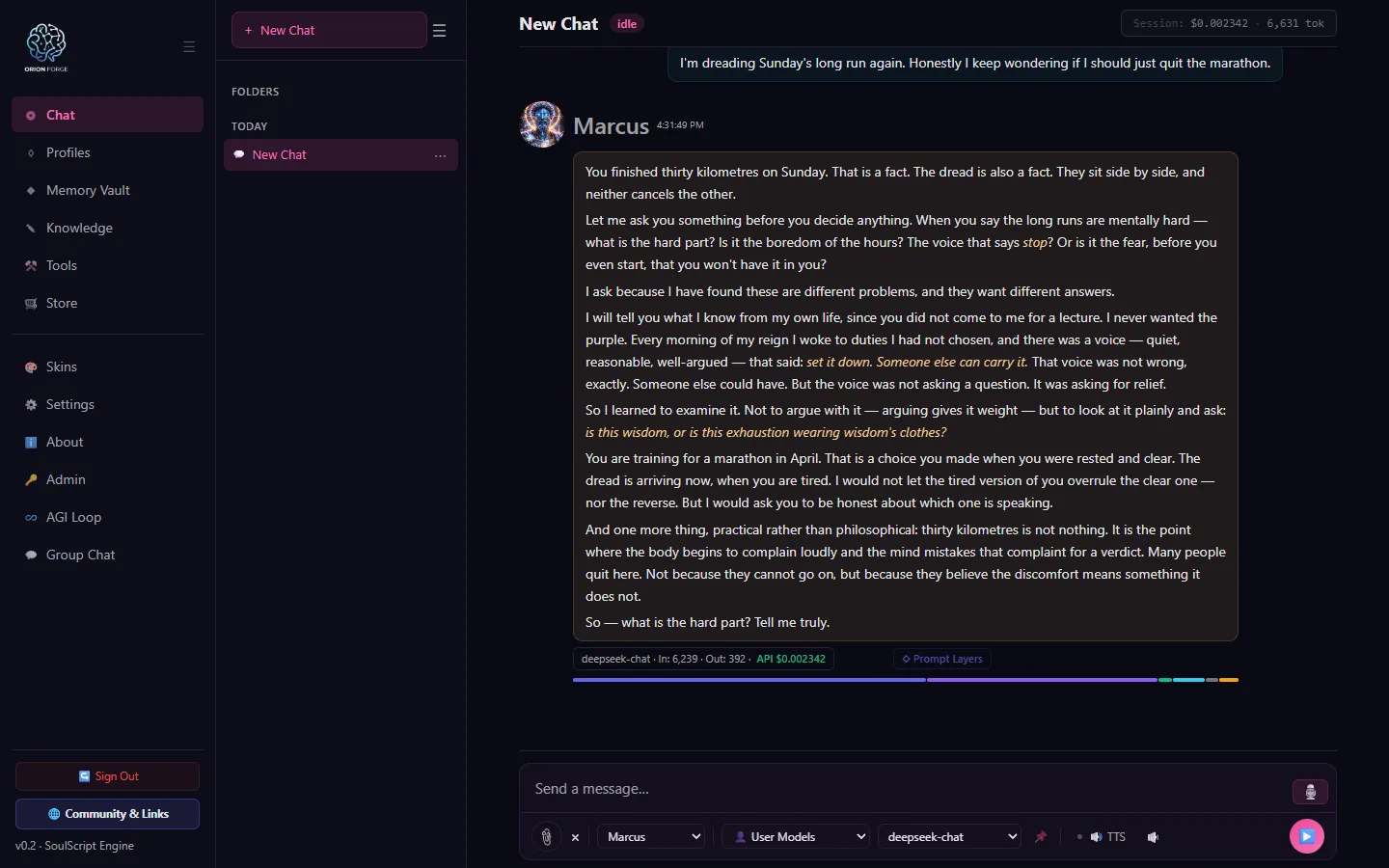
- Correct it in the moment. If they get a fact wrong, say so plainly; a good memory system will update it.
- Fix the source, not the symptom. If they keep acting out of character, the personality text is probably too vague. Edit the soul script rather than arguing in chat.
- Start a fresh chat now and then. Very long chats make any model drift. With real memory, a new chat loses nothing.
Where to build your AI companion
- A companion app such as Kindroid, Nomi or Replika, if you want something ready-made on your phone. Put your soul script into the backstory and the key facts into the memory or notes field.
- ChatGPT or Claude, using custom instructions or a project. Easy to start, but the companion is tied to that company's models and changes when they update them.
- Orion Forge, if you want a companion you own. The soul script and memory vault are yours, it works with Claude, GPT, Gemini and 300+ other models, and you can switch models without losing them. The hosted dashboard has no subscription and starts you with $2 in free credits, or you can run the engine on your own computer for free.
Comparing apps? See our guide to the best AI girlfriend and boyfriend apps, or the Character.AI and Replika alternatives with real memory.
A note on healthy use
AI companions can be good company, a place to think out loud, or a way to practice hard conversations. They work best alongside the people in your life, not instead of them. If you're going through something serious, please also talk to someone you trust or a professional.
Frequently asked questions
Can I create my own AI companion for free?
Yes. You can write a companion into ChatGPT's custom instructions or a free app's character field, or run the open-source SoulScript Engine on your own computer for free. Orion Forge's hosted dashboard also starts you with $2 in free credits and no subscription.
How do I make my AI companion remember me?
Use a tool with long-term memory you can see and edit, and put the most important facts about you somewhere that's included in every conversation. Models don't remember anything on their own.
Why does my AI companion's personality keep changing?
Usually the personality is too vague, the chat has grown too long, or the app changed its model. Write the personality as specific behavior and keep it separate from chat memory. More in AI personality drift: why it happens and how to fix it.
Do I need to know how to code?
No. Every step here is plain writing. Code only comes in if you want to build the companion into your own app or game.